BRASS
Wednesday, 30th November 2005
One logical step up for Latenite is to not have to be bundled with a 3rd party assembler.
Mainly because one (high profile!) user is having real problems getting the buggy TASM to work with it, and other people have expressed annoyance with TASM, (limited string length, limited label length, limited numbers of DBs, lack of features, buffer overflow crashes... the usual) I have decided that I need to write an assembler (BRASS).
WLA-DX is very nice but is geared towards console development and burning programs on ROMs, and defining a ROM bank map for a TI-83 Plus program is a bit silly. I will try and keep it as compatible with TASM as possible, so old TASM-geared code still compiles, but will add some new features.
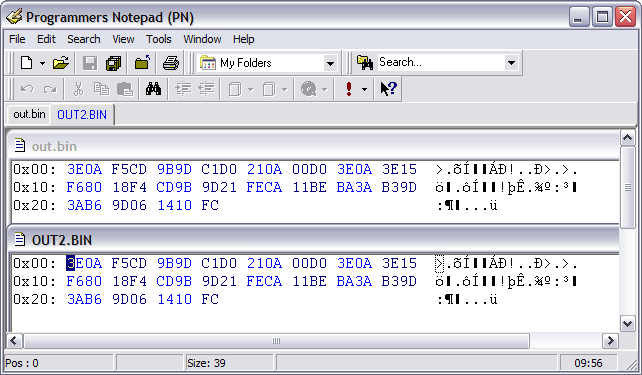
(BRASS at the top, TASM at the bottom - not that it actually matters!)
A lot of work still needs to be done - supporting ZIDX/ZIX/ZBIT instructions (anything like BIT *,A or LD A,(IX*)) is a pretty important one, for starters. The expression parser (for things like "_label+21" needs to actually parse expressions (all it does at the moment is check for and substitute in labels or numbers). Directives for conditionals and macros (and macros themselves!) need to be worked in.
Currently supported directives: .org, .include (#include maps to .include), .locallabelchar and .module.
.include could do with some work, this will compile (or rather, it won't ever get into pass 2):
File: test.asm
.include "test.asm"
I also need ideas for directives. Some are already in my mind (.dbsin, .include_once (like PHP's require_once()), .incbin)... What would you implement if you were writing a Z80 assembler?
I hate syntax highlighting.
Monday, 28th November 2005
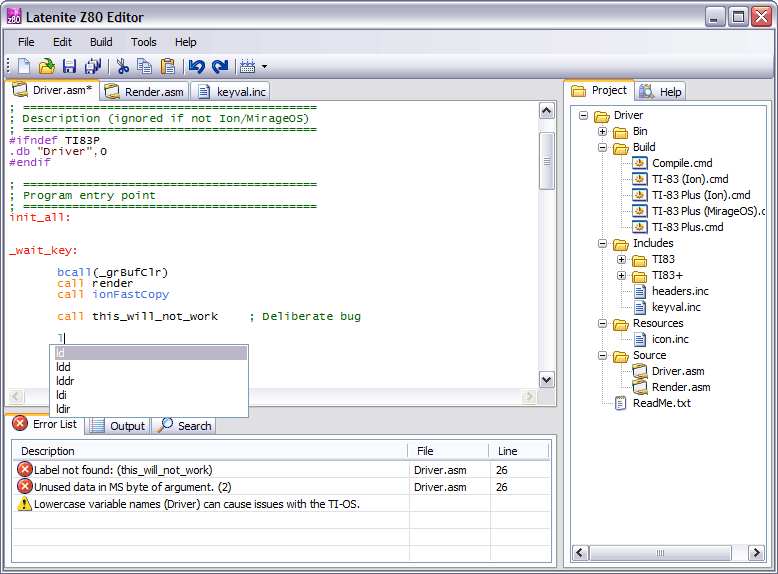
I spent this weekend completely rewriting the syntax highlighting control - this time, from scratch. It seems that all the free ones are rubbish.  Mine is rubbish, but at least I can maintain it.
  Now all I have to do is wait for the people using the beta to start complaining that it's eating their source code...
My test project for it was a Lotus-like 3D racing engine.
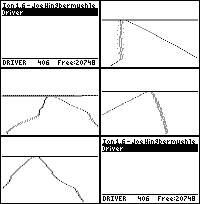
I think I need to research the way it works a little better... still, not too bad for a little over 400 bytes.
Themes!
Wednesday, 23rd November 2005
Not the www2 theme though - a couple of XP theme glitches.
First up is the ListView control in .NET 2. If you switch on gridlines and scroll with the arrows on the scrollbar, it leaves the gridlines behind as nasty artefacts. This is what I came up with - and it appears to work.
Create a new class that inherits from ListView. Then add to it this code:
        /// <summary>
        /// Hacky override to fix the garbage lines.
        /// </summary>
        protected override void WndProc(ref Message m) {
            if (m.Msg == 0xF) { // 0xF is WM_PAINT
                GridLines = false;
                GridLines = true;
            }
            base.WndProc(ref m);
        }
...compile and that new class should appear in your toolbox. Use that instead of the normal ListView control.
If anyone could come up with a better solution, I'd love to hear it...
The other theme bug appeared last night in XP.

I guess it can't remember if it's using Windows Classic or Windows XP styling?


Localisation
Thursday, 17th November 2005
Typing
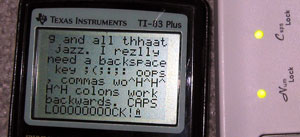
One reason you'd want to connect a keyboard to your TI - or indeed any device - would be to type on it. After all, it offers a nice comfortable layout to type quickly on...
One easy way to deal with the keyboard as a typing device would be to write a function that converts the scancode into an ASCII code (or a special code in the 128→255 range for keys without sensible ASCII equivalents, such as the Windows or cursor keys). But here's the problem - not all keyboards have the same characters printed on the keys. A UK layout will be QWERTY, a French layout will be AZERTY and a German layout will be QWERTZ. A US keyboard will have @ over the 2, whereas my keyboard has " over the 2.
The way I get decided to get around this was a fairly inelegant (but simple) one - assume the calculator has a keyboard localisation file on it. A function call I have provided called keyi_load_table will attempt to find and load the keyboard layout definition file you can create (returning an error code if it can't find any). Any software that uses these routines can therefore instantly tailor themselves to match the keyboard layout of the individual user. The files themselves aren't very big - it contains two mappings for the entire keyboard (normal and shifted), a table of which keys Caps Lock affects (26 bytes - A→Z on an English keyboard) and a final table for alternate codes for when Num Lock is pressed.
With this all put together, a single call to keyi_translate will convert a scancode in the accumulator to the ASCII/special code, automatically adjusting for Shift/Caps Lock/Num Lock. You can even call the function keyi_check_printable to see if the code is in the printable character range, or keyi_get_status_icon to get a character code for a suitable cursor - no special status returns , shift returns ↑, caps lock returns A and caps lock+shift returns a.