Parallel-Port SMS Control Pad
Monday, 15th January 2007
I've been wanting to attach an SMS control pad to my PC (and be able to use it to play games with) for a while, so put in an order from those excellent chaps at Rapid for the parts needed.
The joypad (as I've now learned from disassembly) is very primitive - 6 normally-open switches, each connected between a pin on the DE-9 connector and ground. The accepted layout adapter uses the 25-pin parallel port, connecting ground to pin 18, power to pin 1 (not that the control pad uses this pin) and 7 further connections from D0 to D6 for the buttons.
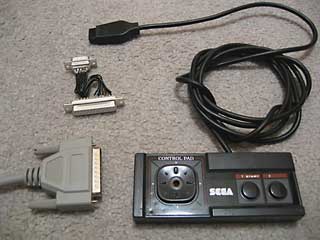
Master System Control Pad and a poorly-soldered DB-25 to DE-9 adapter.
I had been assured that the data lines on parallel ports (D0..D7) were pulled up, and so the layout seemed easy enough - D0..D6 will return highs normally, and when a button is pressed it is connected to ground.
Unfortunately, for whatever reason the data lines on the parallel port on my PC are not pulled up, at least not in any way that I can find to control. However, if you set the lines to be outputs (using bit 5 of the control register), set them all high, then flip them to inputs, they'll read as highs for a while until they float (slowly) back low again. I've used this to my advantage, and so have this:
/// <summary>Flags corresponding to which buttons are pressed.</summary>
[Flags]
public enum Buttons {
    None = 0x00,
    Up = 0x01,
    Down = 0x02,
    Left = 0x04,
    Right = 0x08,
    Button1 = 0x10,
    Button2 = 0x20,
    All = 0x3F,
}

// Retrieve the status of the port.
private Buttons GetRawStatus() {
    // Set D0..D7 as outputs.
    Output(this.BaseAddress + 2, 0x00);
    // Set them high:
    Output(this.BaseAddress + 0, 0xFF);
    // Set D0..D7 as inputs.
    Output(this.BaseAddress + 2, 0x20);
    // Retrieve, invert and mask the data lines.
    return (Buttons)(~(Input(this.BaseAddress + 0)) & (int)Buttons.All);
}
This works very well, with one small problem: nothing is debounced, so pressing any button causes 10 or so press/release actions to be detected until the contacts settle. Therefore, the exposed method for retrieving the status is this:
/// <summary>Gets the status of the buttons from the connected SMS joypad.</summary>
/// <returns>The status of the buttons.</returns>
public Buttons GetStatus() {
    if (!this.Debounced) {
        return GetRawStatus();
    } else {
        Buttons Last = GetRawStatus();
        Buttons Current;
        int MaximumIterations = 100;
        while (((Current = GetRawStatus()) != Last) && (MaximumIterations-- > 0)) {
            Last = Current;
            Thread.Sleep(0);
        }
        return Current;
    }
}
For some strange reason, this doesn't quite work; after a while (or rebooting, or reading/writing the EPP registers) the port starts reading nothing but zeroes again. Running another piece of software that uses the parallel port fixes it.
One missing feature of the emulator was support for the SMS pause button. This button is attached to the Z80's non-maskable interrupt line, so pressing it results in the CPU pushing the program counter to the stack then jumping to $0066.
For most games the pause button just pauses the game, but for some others it will display a menu - such as in Psycho Fox, which lets you use the items you have collected to change animal or use a power-up.
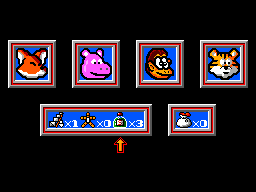
Psycho Fox's in-game menu
One major long-standing bug in the emulator has been interrupt handling by the CPU. I think I've (finally!) got it, though it's still not entirely perfect. How I've set it up now is that a flag is set - IntPending or NmiPending, depending on whether the maskable or non-maskable interrupt pin has been modified - when the interrupt is requested, and cleared when it's been handled.
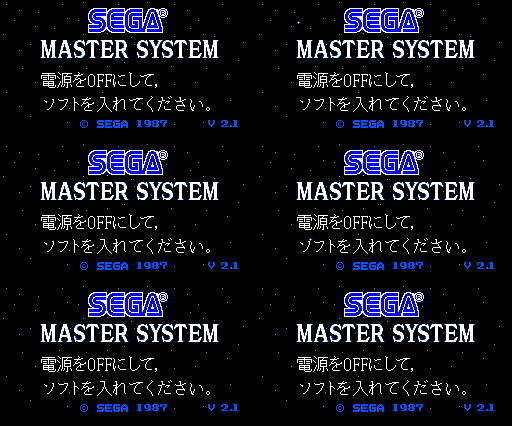

Japanese Master System BIOS
I have updated the memory emulation to better support BIOS ROMs. Initially, the "Majesco" Game Gear BIOS and some of the "Snail Maze" SMS BIOS worked (though the SMS BIOS would display "Software Error" on several games). I've tested a few of them and they seem to work pretty well.
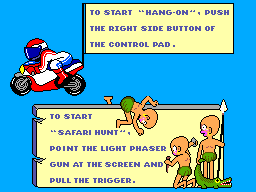
Hang On and Safari Hunt
Whilst the Japanese BIOS has (in my opinion) the best final effect, it's the M404 prototype BIOS that has the best effect overall:

Sega BASIC
Monday, 8th January 2007
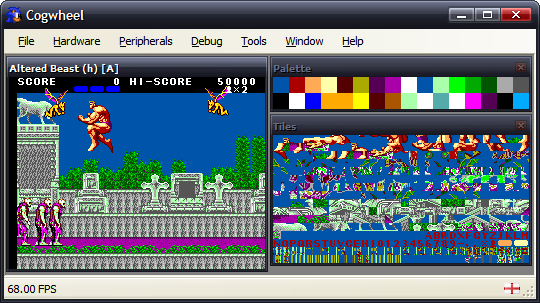
I have returned to the MDI view for this project which makes life easier when it comes to putting in debugging tools. For the moment all there is is a palette and tile viewer, but I hope to add some helpful utilities - and work out a way to tie the new Brass and an emulator together for debugging assembly programs.
I've extended the SG-1000 emulation some way towards the SC-3000 (Sega Game 1000 vs. Sega Computer 3000) which has mainly involved adding keyboard emulation. The result is the ability to run Sega BASIC, and so you get the obligatory program that everyone writes sooner or later...
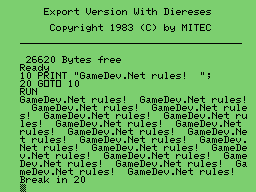
There is no tape drive emulation, and I'd like to ideally emulate the SF-7000's floppy drive and disk BASIC, but don't quite follow the datasheets I've read thus far (or rather, how everything is tied together).
In the first screenshot you might have noticed that the video output window has "Altered Beast (h) [A]" in the caption. I've added ROM library support, and am currently using the data from the .romdata files arranged by Maxim for his SMS Checker utility. As well as identify a name, there is a more important reason to use the database - it can identify dodgy dumps and be used to correct them (in this case, Altered Beast has an additional header - hence the (h) - that needs to be removed).
SG-1000
Wednesday, 3rd January 2007
I've added some support for the SG-1000, Sega's first? home video game console.

The Master System's VDP is a modified TMS9918, and so most Master System games run in its extended 'Mode 4' setting. That was the only video mode, therefore, that I'd emulated in any form.
For some reason, the older computer games are, the more charm they seem to have to me (maybe because the first games I played would have been on a BBC Micro, which certainly looked a lot more primitive than the Master System games I've been attempting to emulate thus far). I dug out TI's TMS9918 documentation - the differences are quite significant! Tiles are monochrome (though you can pick which foreground and background colour is in use - to some extent), the palette is fixed to 16 pre-defined colours (one of which being 'transparent') and sprite sizes and collisions are handled differently. Various features found in the Master System's VDP (scrolling, line-based interrupts) also appear to be missing from the 'vanilla' TMS9918, but I'm not sure whether or not they make an appearance in the SMS variation of the VDP or not, along with the original TMS9918 limitations.
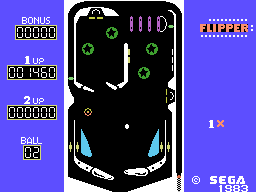
Flipper
At any rate, the emulator now has a 'SG-1000' mode. The only differences at the moment are that the TMS9918 palette is used and line interrupts are disabled, so you can still (for example) use mode 4 on it.
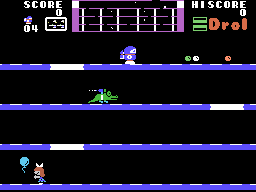
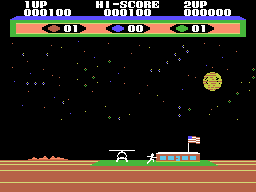

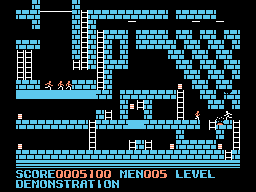
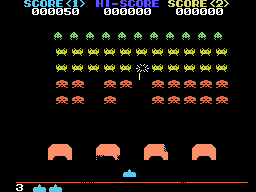
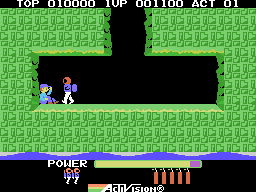
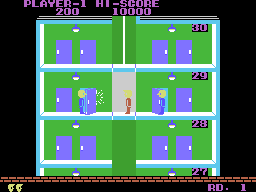
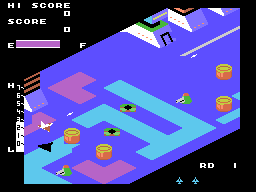
From first to last: Drol, Choplifter, Hustle Chummy, Championship LodeRunner, Space Invaders, H.E.R.O., Elevator Action, and Zaxxon.
All but one of the SG-1000 games I had ran - and that was The Castle. According to meka.nam, this has an extra 8KB of onboard RAM. Whilst doing some research into the SG-1000 and the TMS9918, I found a forum post by Maxim stating "The Castle runs nicely on my RAM cart :)". Enter the new ROM mapper option to complement Standard, Codemasters and Korean - it's the RAM mapper, which simply represents the entire Z80 address range with a 64KB RAM.
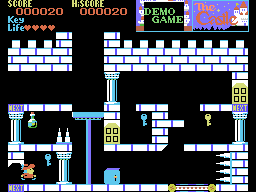
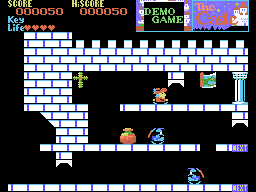
That seems to have done the trick!
I mentioned that the palette was different in the SMS VDP and the original TMS9918 - here's an example (SMS on the left, SG-1000 on the right):


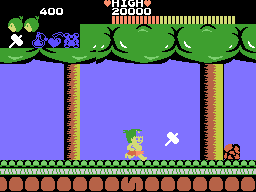
I'm assuming this is the result of truncating the TMS9918 palette to the SMS 6-bit palette without needing to implement two palette modes on the new VDP. Another comparison is between two versions of Wonder Boy - SMS on the left again, SG-1000 on the right:

VDP Interrupts
Wednesday, 20th December 2006
The VDP can generate two different types of CPU interrupt.
The first, and easiest, is the frame interrupt, which is requested when an entire frame has been generated. This is requested, therefore, at a regular 60Hz in NTSC regions and 50Hz in PAL regions - it's a useful timer to synchronise your game to.
The second, and more complex, is the line interrupt. This interrupt is requested when a user-definable number of scanlines have been displayed. An internal counter is decremented each active line (and one more just after), and when it overflows it resets to the value held in a VDP register and requests the interrupt (so 0 would request an interrupt every line, 1 every other line and so on). For every other line outside the active display area, the counter is reset to the contents of the VDP register.
Both interrupt types can be enabled or disabled by defined bits held in the VDP registers.
(The above should be loosely correct, the below is a little more uncertain).
Once an interrupt is requested, a flag for said interrupt is set. The flag is not reset until the VDP control port is read, so you must read the VDP control port if you expect any further interrupts.
To differentiate between line and frame interrupts you can check the value read from the control port. If the most significant bit is set, a frame interrupt (at least) was requested. Reading the vertical counter port (which returns the current scanline's vertical position) will also let you know where you are.
Something is a little wonky with my vertical counting code, as all lines end up being one too large. For the moment I'm subtracting one before returning the value (and waiting one extra scanline before triggering the frame interrupt) which is a horrible solution, but for the moment it has fixed a number of games that weren't working at all before.
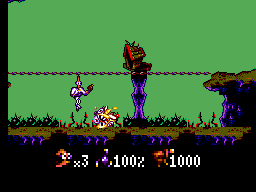
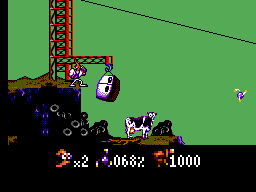
Earthworm Jim, which relies on line interrupts to switch on zoomed sprites to dipslay the status bar at the bottom, now plays. It's missing some graphics on the title screens, though.
For some reason, rebuilding my Z80 emulator (which is in a different project) fixed some other interrupt-related glitches, so I have a sneaking suspicion most of my earlier problems are related to using an out-of-date DLL.
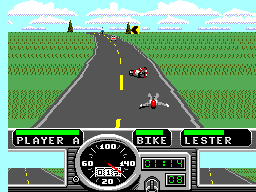
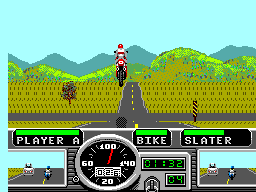
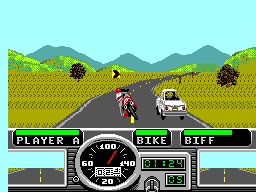
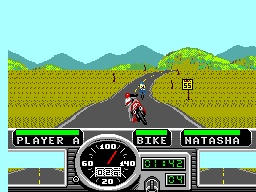
Road Rash highlighted another bug. The VDP can draw doubled sprites - that is, when a particular bit is set it will draw sprites as 8x16 pixels, stacking two consecutive sprite tiles on top of each other. Road Rash uses this mode, but also uses odd sprite indices (odd as opposed to even, not strange). The VDP will only take even indices, so a line of code to clear the least significant bit if using doubled sprites fixed that.
Still no sound, though.
Real 3D on classic 2D hardware
Monday, 18th December 2006
My existing implementation of the standard mapper used the values $1FFC..$1FFF in RAM as the paging registers. This is incorrect; from what I can now tell the paging registers are only updated if you write to the $FFFC..$FFFF range, and isn't anything to do with the RAM anyway (the fact that they end up in RAM is a side-effect, not the main way of doing things).
Updating my code to handle this, rather than using the values in RAM, fixed some games; notably Phantasy Star and Space Harrier.

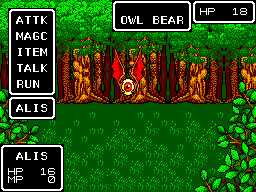
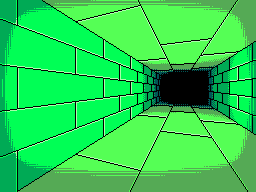
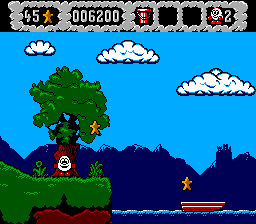
Thanks to Maxim's post, I fixed the Codemasters mapping for the Excellent Dizzy Collection:
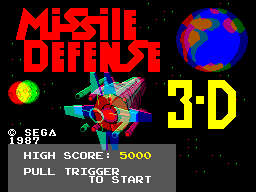
A fun bit of hardware is the 3D glasses. These LCD shutter glasses could be used with certain games, and are controlled by writing to the memory range $FFF8..$FFFB. The least-significant bit controls which shutter is open and which is shut, and by alternating frames rapidly in time with the shutters you can display two views; one for the left eye, one for the right.
I've added four different 3D glasses mode. No effect doesn't do anything special, so you just get an unsightly flickery view. Frozen displays frames for one eye only, giving you a 2D view of the 3D game.
To recreate the 3D view on your PC, though, there are two methods. The first method is the standard red-green anaglyph view, for use with those red-green glasses:
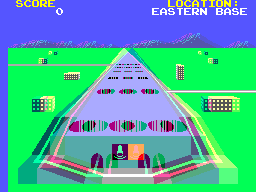
Unfortunately, on top of the usual shimmery view you get from anaglyphs, this is made even worse by the fact that I don't remove the existing colour information from the frames. This looks nicer without glasses, but looks really quite horrible when viewed (as intended) through the glasses. For example, the red text is invisible through the green filter, but strongly visible through the red filter, making it shimmer.
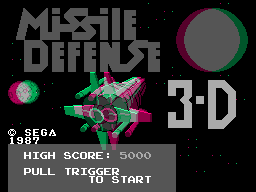
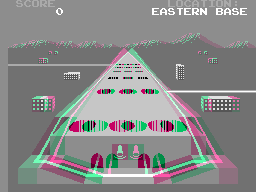
By sacrificing the colour and only taking the luminance of the orignal frames, you get an anaglyph that remains stable when viewed.
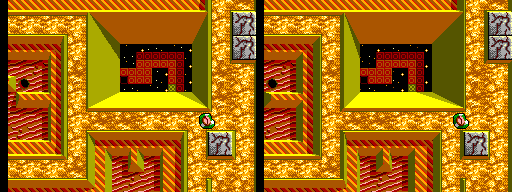
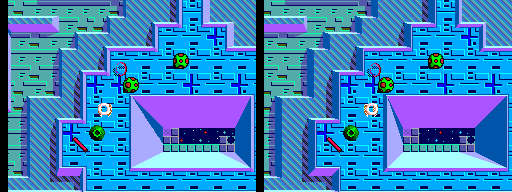
Fortunately, there is an easy way to retain full colour information in a 3D image, which is to use a stereo pair.
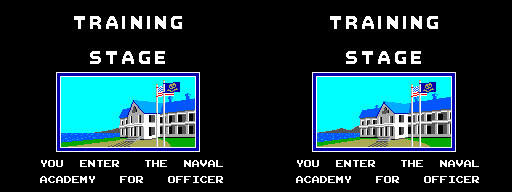
The image on the left is to be viewed by your right eye, and the one on the right by your left eye. If you cross your eyes until the two images overlap, and concentrate on the middle one, you should be able to focus on a 3D image.

I tried adding sound emulation back in, but the timing has confused me once more. If you can help, I've posted the relevant thread here.