Sega: Enter the Pies
Monday, 20th November 2006
The Z80 core is now a bit more accurate - ZEXALL still reports a lot of glitches, and this is even a specially modified version of ZEXALL that masks out the two undocumented flags.
The VDP (Video Display Processor - the graphics hardware) has been given an overhaul and is now slightly more accurate. A lot more software runs now. I have also hacked in my PSG emulator (that's the sound chip) from my VGM player. It's not timed correctly (as nothing is!) but it's good enough for testing.
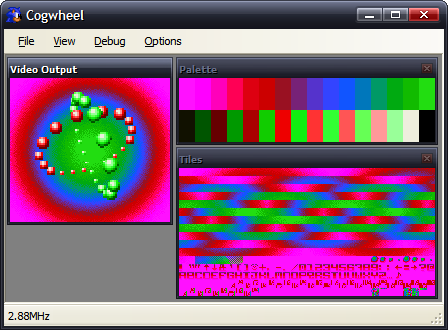
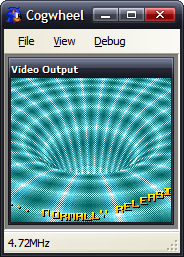
Picohertz, the demo I have been working on (on and off) now runs correctly. The hole in the Y in the second screenshot is caused by the 8 sprite per scanline limit. The first screenshot shows off sprite zooming (whereby each sprite is zoomed to 200% the original size). The background plasma is implemented as a palette shifting trick.
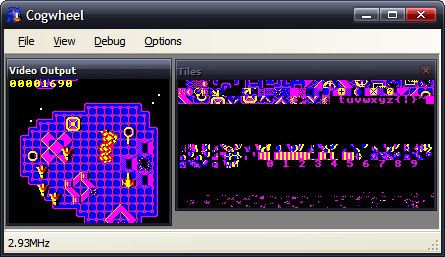
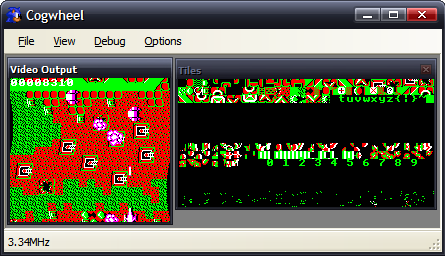
Fire Track runs and is fully playable. The second shot shows a raster effect (changing the horizontal scroll offset on each scanline.
Seeing as I understand the instructions that my programs use (and the results of them), and have my own understanding of parts of the hardware, it's not really surprising that the programs I've written work perfectly, but ones written by others don't, as they might (and often do) rely on tricks and results that I'm not aware of, or on hardware that I haven't implemented accurately enough. At least I do not need to emulate any sort of OS to run these programs!
SMS Power! has been an amazing resource in terms of hardware documentation and homebrew ROMs. I've been using the entries to the 2006 coding competition to test the emulator.
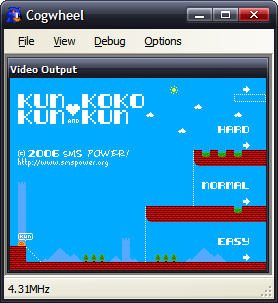
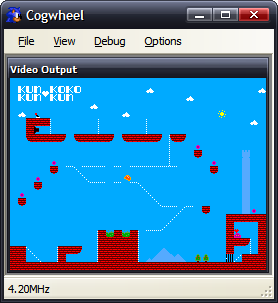
Bock's game, KunKun & KokoKun, nearly works. The cannon don't fire, which would make the game rather easy if it wasn't for the fact that the switch to open the door doesn't work either. I suspect that a CPU flag isn't being set correctly as the result to an operation somewhere.
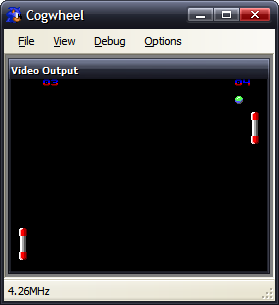
Haroldoop's PongMaster is especially interesting as it was not written in Z80 assembly, but C. It's also one of the silkiest-smooth pong games I've come across.
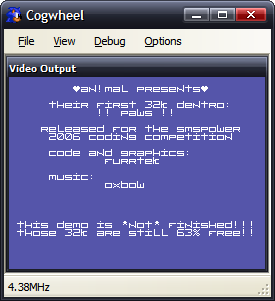
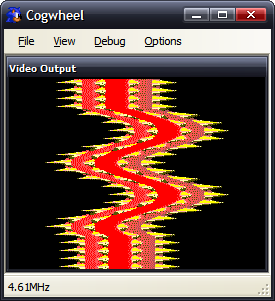
An!mal/furrtek's Paws runs, but something means that the effect doesn't work correctly (the 'wavy' bit should only have one full wave in it, not two - it appears my implementation of something doubles the frequency of the wave). The music sounds pretty good, though.
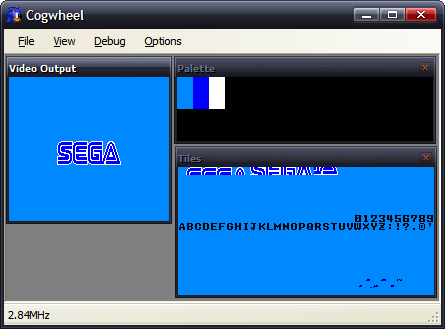
Sega's Columns gets the furthest of any official software - the Sega logo fades in then out.
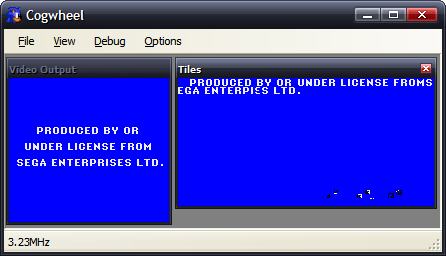
I do like the idea that Sega is an ENTERPIεS. (From the Game Gear BIOS). (I believe this is a CPU bug).
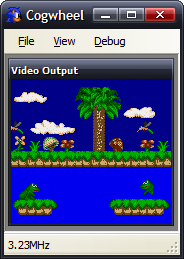
Charles Doty's Frogs is a bit of a conundrum. The right half of the second frog is missing due to the 8 sprites per scanline limitation of the VDP. However, Meka, Emukon, Dega and now my emulator draw the rightmost frog's tongue (and amount if it showing) differently, as well as whether the frog is sitting or leaping. There's a lot of source for such a static program (it doesn't do anything in any emulator I've tried it on, nor on hardware). Dega is by far the strangest, as the tongue moves in and out rapidly. I'm really not sure what's meant to be happening here.
Here are the results of ZEXALL so far.
Z80 instruction exerciser

ld hl,(nnnn).................OK
ld sp,(nnnn).................OK
ld (nnnn),hl.................OK
ld (nnnn),sp.................OK
ld <bc,de>,(nnnn)............OK
ld <ix,iy>,(nnnn)............OK
ld <ix,iy>,nnnn..............OK
ld (<ix,iy>+1),nn............OK
ld <ixh,ixl,iyh,iyl>,nn......OK
ld a,(nnnn) / ld (nnnn),a....OK
ldd<r> (1)...................OK
ldd<r> (2)...................OK
ldi<r> (1)...................OK
ldi<r> (2)...................OK
ld a,<(bc),(de)>.............OK
ld (nnnn),<ix,iy>............OK
ld <bc,de,hl,sp>,nnnn........OK
ld <b,c,d,e,h,l,(hl),a>,nn...OK
ld (nnnn),<bc,de>............OK
ld (<bc,de>),a...............OK
ld (<ix,iy>+1),a.............OK
ld a,(<ix,iy>+1).............OK
shf/rot (<ix,iy>+1)..........OK
ld <h,l>,(<ix,iy>+1).........OK
ld (<ix,iy>+1),<h,l>.........OK
ld <b,c,d,e>,(<ix,iy>+1).....OK
ld (<ix,iy>+1),<b,c,d,e>.....OK
<inc,dec> c..................OK
<inc,dec> de.................OK
<inc,dec> hl.................OK
<inc,dec> ix.................OK
<inc,dec> iy.................OK
<inc,dec> sp.................OK
<set,res> n,(<ix,iy>+1)......OK
bit n,(<ix,iy>+1)............OK
<inc,dec> a..................OK
<inc,dec> b..................OK
<inc,dec> bc.................OK
<inc,dec> d..................OK
<inc,dec> e..................OK
<inc,dec> h..................OK
<inc,dec> l..................OK
<inc,dec> (hl)...............OK
<inc,dec> ixh................OK
<inc,dec> ixl................OK
<inc,dec> iyh................OK
<inc,dec> iyl................OK
ld <bcdehla>,<bcdehla>.......OK
cpd<r>.......................OK
cpi<r>.......................OK
<inc,dec> (<ix,iy>+1)........OK
<rlca,rrca,rla,rra>..........OK
shf/rot <b,c,d,e,h,l,(hl),a>.OK
ld <bcdexya>,<bcdexya>.......OK
<rrd,rld>....................OK
<set,res> n,<bcdehl(hl)a>....OK
neg..........................OK
add hl,<bc,de,hl,sp>.........OK
add ix,<bc,de,ix,sp>.........OK
add iy,<bc,de,iy,sp>.........OK
aluop a,nn...................   CRC:04d9a31f expected:48799360
<adc,sbc> hl,<bc,de,hl,sp>...   CRC:2eaa987f expected:f39089a0
bit n,<b,c,d,e,h,l,(hl),a>...OK
<daa,cpl,scf,ccf>............   CRC:43c2ed53 expected:9b4ba675
aluop a,(<ix,iy>+1)..........   CRC:a7921163 expected:2bc2d52d
aluop a,<ixh,ixl,iyh,iyl>....   CRC:c803aff7 expected:a4026d5a
aluop a,<b,c,d,e,h,l,(hl),a>.   CRC:60323322 expected:5ddf949b
Tests complete
The aluop (add/adc/sub/sbc/and/xor/or/cp) bug seems to be related to the parity/overflow flag (all other documented flags seem to be generating the correct CRC). daa hasn't even been written yet, so that would be the start of the problems with the daa,cpl,scf,ccf group. adc and sbc bugs are probably related to similar bugs as the aluop instructions.
The biggest risk is that my implementation is so broken it can't detect the CRCs correctly. I'd hope not.
In terms of performance; when running ZEXALL, a flags-happy program, I get about ~60MHz speed in Release mode on a 2.4GHz Pentium 4. When ZEXALL is finished, and it's just looping around on itself, I get ~115MHz.
The emulator has not been programmed in an efficient manner, rather a simple and clear manner. All memory access is done by something that implements the IMemoryDevice controller (with two methods - byte ReadByte(ushort address) and void WriteByte(ushort address, byte data)) and all hardware access is done by something that implements the IHardwareController interface (also exposing two methods - byte ReadDevice(byte port) and void WriteDevice(byte port, byte data)).
Most of the Z80's registers can be accessed via an index which makes up part of an opcode. You'd have thought that the easiest way to represent this would be, of course, an array. However, it's not so simple - one of the registers, index 6, is (HL) - which means "whatever HL is pointing to". I've therefore implemented this with two methods - byte GetRegister(int index) and void SetRegister(int index, byte value).
Life isn't even that simple, though, as by inserting a prefix in front of the opcode you can change the behaviour of the CPU - instead of using HL, it'll use either IX or IY, two other registers. In the case of (HL) it becomes even hairier - it'll not simply substitute in (IX) or (IY), it'll substitute in (IX+d), where d is a signed displacement byte that is inserted after the original opcode.
To sort this out, I have three RegisterCollections - one that controls the "normal" registers (with HL), one for IX and one for IY. After each opcode and prefix is decoded, a variable is set to make sure that the ensuing code to handle each instruction works on the correct RegisterCollection.
The whole emulator is implemented in this simplified and abstracted manner - so I'm not too upset with such lousy performance.
I'm really not sure how to implement timing in the emulator. There's the easy timing, and the not-so-easy timing.
The easy timing relates the VDP speed. On an NTSC machine that generates 262 scanlines (60Hz), on a PAL machine that generates 313 scanlines (50Hz). That's 15720 or 15650 scanlines per second respectively.
According to the official Game Gear manual, the CPU clock runs at 3.579545MHz. I don't know if this differs with the SMS, or whether it's different on NTSC or PAL devices (the Game Gear is fixed to NTSC, as it never needs to output to a TV, having an internal LCD).
I interpret this as meaning that the CPU needs to be run for 227.7 or 228.7 cycles per scanline. That way, my main loop looks a bit like this:
if (Hardware.VDP.VideoStandard == VideoStandardType.NTSC) {
    for (int i = 0; i < 262; ++i) {
        CPU.FetchExecute(228);
        Hardware.VDP.RasteriseLine();
    }
} else {
    for (int i = 0; i < 313; ++i) {
        CPU.FetchExecute(229);
        Hardware.VDP.RasteriseLine();
    }
}
The VDP raises an event when it enters the vertical blank area, so the interface can capture this and so present an updated frame.
The timing is therefore tied to the refresh rate of the display.
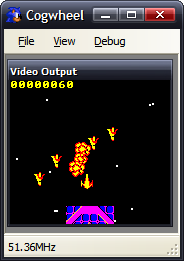
Here's the fictional Super Game Gear, breezing along at 51MHz. The game runs just as smoothly as it would at 3MHz, though - as the game's timing is tied to waiting for the vertical blank.
Actually, I tell a lie - as Fire Track polls the vertical counter, rather than waiting for an interrupt, it is possible for it to poll this counter so fast (at an increased clock rate) that it hasn't changed between checks. That way "simple" effects run extra fast, but the game (that has a lot of logic code) runs at the same rate.
This works. The problem is caused by sound.
With the video output, I have total control of the rasterisation. However, with sound, I have to contend with the PC's real hardware too! I'm using the most excellent FMOD Ex library, and a simple callback arrangement, whereby when it needs more data to output it requests some in a largish chunk.
If I emulate the sound hardware "normally", that is updating registers when the CPU asks them to be updated, by the time the callback is called they'll have changed a number of times and the granularity of sound updates will be abysmal.
A solution might be to have a render loop like this:
for (int i = 0; i < 313; ++i) {
    CPU.FetchExecute(229);
    Hardware.VDP.RasteriseLine();
    Hardware.PSG.RenderSomeSamples(1000);
}
However, this causes its own problems. I'd have to ensure that I was generating exactly the correct number of samples - if I generated too few I'd end up with crackles and pops in the audio as I ran out of data when the callback requested some, or I'd end up truncating data (which would also crackle) if I generated too much.
My solution thus far has been a half-way-house - I buffer all PSG register updates to a Queue, logging the data written and how many CPU cycles had been executed overall when the write was attempted. This way, when the callback is run, I can run through the queued data, using the delay between writes to ensure I get a clean output.
As before, this has a problem if the timing isn't correct - rather than generate pops or crackles, it means that the music would play at an inconsistent rate.
Of course, the "best" solution would be to use some sort of latency-free audio solution - MIDI, for example, or ASIO. If I timed it, as with everything else, to scanlines I'd end up with a 64µs granularity - which is larger than a conventional 44.1kHz sample (23µs), so PWM sound might not work very well.
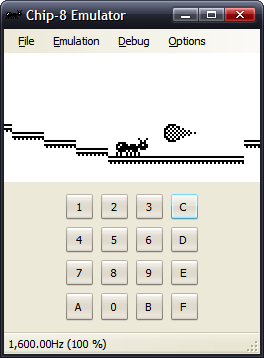
Incidentally, this is not the first emulator I have written - I have written the obligatory Chip-8 emulator, for TI-83 calculator and PC. Being into hardware, but not having the facilities to hand to dabble in hardware as much as I'd like to, an emulator provides a fun middle-ground between hardware and software.

And now for something completely different
Friday, 17th November 2006
A long time ago I thought I'd try my hand at this emulation malarkey.
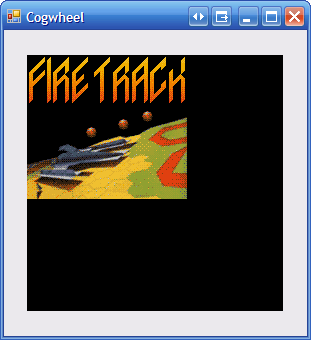
The hardware is the Z80-based Sega Master System and Game Gear.
Due to the design, it was a huge, messy, poorly written series of hacks that could just about produce the above result if you didn't breathe too hard.
After finding this document, I had a bit of a blast at rearranging the Z80 core and timing the video hardware a bit more correctly. Here's that old Fire Track project:
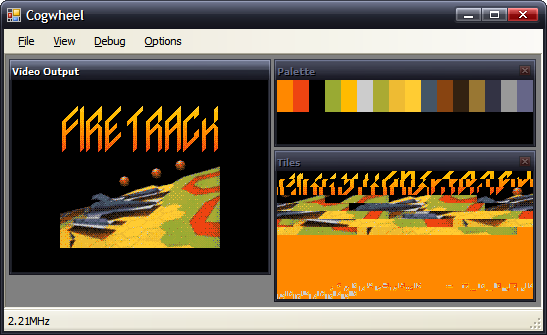
All this does is run the emulation for 100 scanlines on a Timer's tick, hence the low reported clock speed.
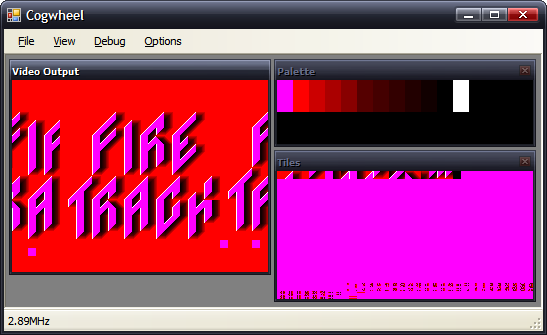
The Game Gear's LCD cropped the output screen, so you wouldn't see the junk to the sides of the display here.
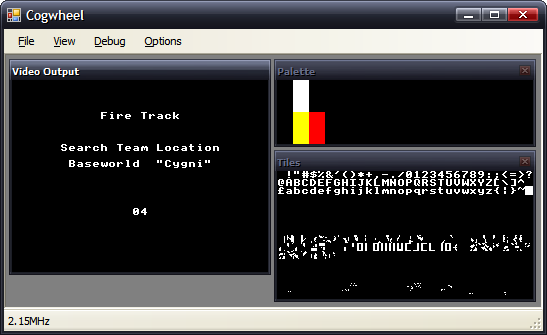
My implementation of the VDP doesn't support sprites yet.
Of course, these are the most exciting screenshots:
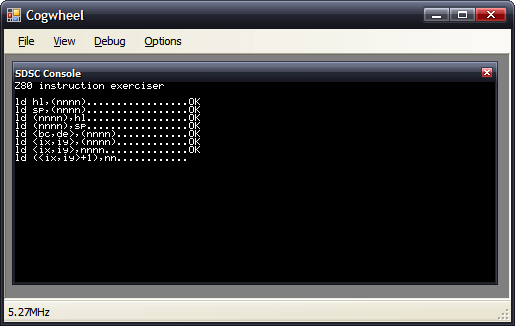
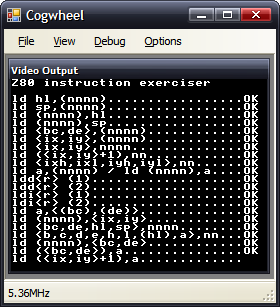
Two versions of ZEXALL, one that displays the results on the SMS screen, the other in an SDSC debug console.
One day I shall purge all of these CRC errors. One day! But not now, as I don't have the time to put any work on this (I stole a couple hours for the above), and in spare time (hah!) I should really focus on the Latenite software. Which, whilst it doesn't provide such pretty screenshots, is a great deal more useful.
Text mode graphics and help file indexing
Monday, 6th November 2006
In light of the TMDC, I thought I'd package up the .NET class for easy text-mode graphics I'd been throwing together.

Once initialised, all you need are two things; the Graphics object it provides to handle your drawing, and the Refresh() method to update the console with whatever it is you've been composing.
It relies on a fairly large palette (128KB) which is hugely wasted in the current version - it maps every 16-bit colour value (R5G6B5) to an attribute/character pair. For the purpose of not looking extremely ugly, the palette provided only uses a few basic characters, not the full range, hence that 128KB could be reduced somewhat.
If you want to provide your own palette, it's just a sequence of two byte pairs (character then attribute) for each of the 16-bit colour values.
You'll need to compile with the unsafe flag set.
Download VC♯ project (with a quick-and-dirty sample program - an oldschool flame that spins around, some curves and some alpha-blended text). ClearType does make the text look a bit odd.
// Set window to 80x50
TextSharp TS = new TextSharp(80, 50);

// Set window title text
TS.Title = "TextSharp Demo";

// Set up some pleasant antialiasing/filtering
TS.Graphics.SmoothingMode = SmoothingMode.HighQuality;
TS.Graphics.InterpolationMode = InterpolationMode.HighQualityBicubic;

// Now use the Graphics object like any other
TS.Graphics.Clear(Color.White);
TS.Graphics.DrawLine(Pens.Black, 0, 0, 80, 50);

// Update console window
TS.Refresh();
The document browser progresses (slowly) - it now exports and imports to/from a single file (the .docpack) and has a nifty search-as-you-type index.
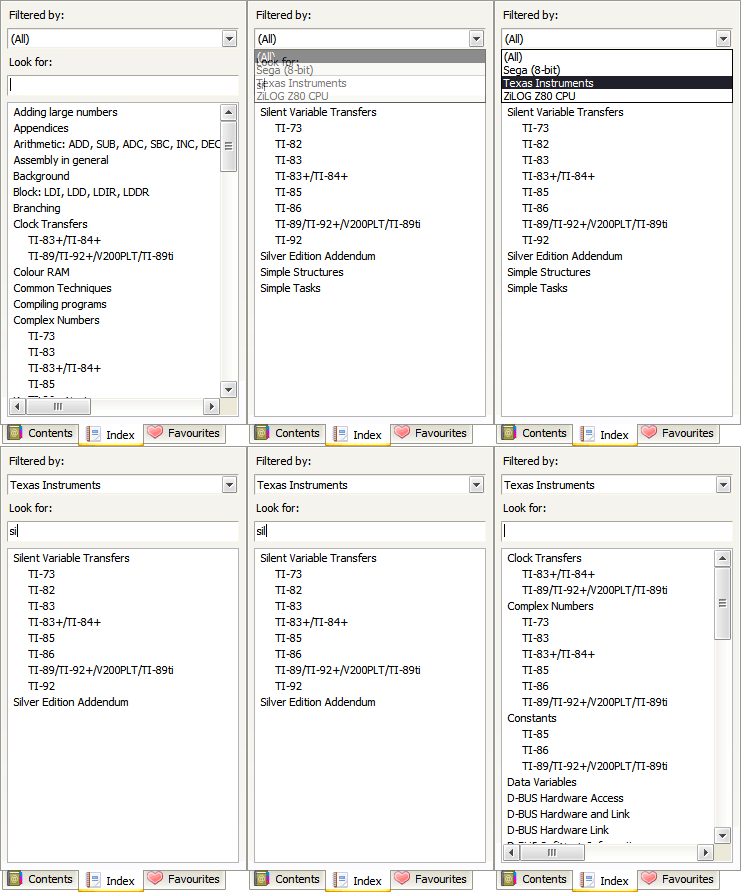
Why is it that all you need to do to solve all your .NET WinForms woes is to make the control invisible then visible again? When clearing/adding large numbers of nodes to a TreeView control, you get a dancing scrollbar that pauses the app for a second or so - make the control invisible then visible again and it's instant. (This is using Clear and AddRange - it's not as if I'm adding them one-by-one).
Documentation
Monday, 30th October 2006
This is a standalone application I've been sporadically working on which will be bundled with Latenite, but is perfectly usable away from it.
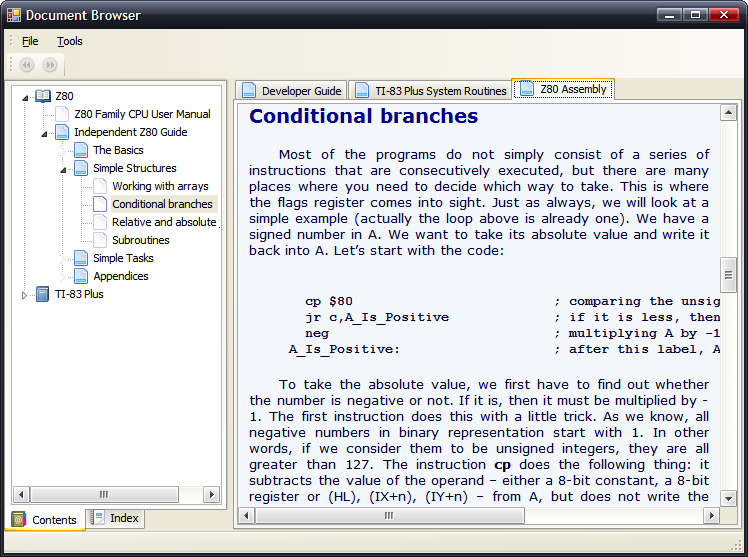
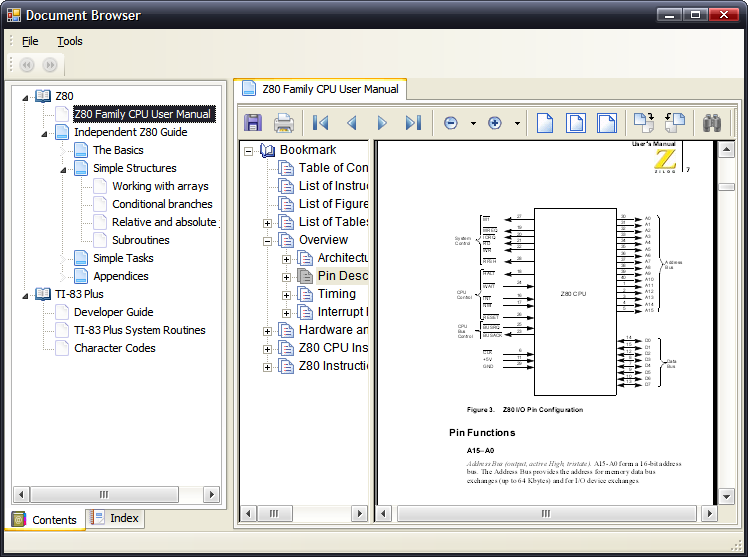

It's a plugin-extendable document browser. You can use it to manage a library of documents and display them in the tabbed browser on the right. It comes with plugins supporting text files, Rich Text documents, and anything IE supports (so in this case it's HTML and PDF).
I've also wrapped the XP Picture and Fax viewer as another plugin, but am having a few problems with that so I'm not sure if I'll end up writing my own image viewer. Multipage TIFFs would be nice, though.
Plugins can expose their own toolbars - hence the text file has a dropdown button with a list of encodings, which has been very handy for those hundreds of DOS text files I have knocking around.
The library is stored in an XML document, and I'm intending on devising a format for easy distribution of documentation - probably something as simple as a Zip archive containing the relevant files and a small XML document that can be merged with the main library one.
Two nifty links, if you didn't know about them already - famfamfam's glorious "Silk Icons" set and the oh-so-useful SkyBound Visual styles (notice how my tabs on the left of the screenshots render correctly, even though they're upside down).
It lives..!
Wednesday, 25th October 2006
Thanks for the support, MrEvil, and thanks for noticing my rather dead tutorials section, linkofazeroth. 
Sadly, I've been horribly busy recently - and so very little progress on any project. However, Brass 2 is starting to come together...
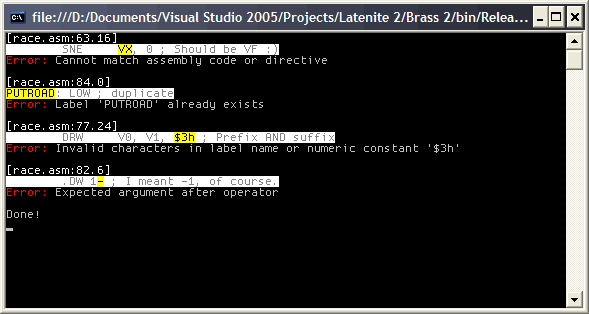
Can you guess which device the code is for?
Well, it'll never be an IOTD, but it's something. With the syntax fixed, it does actually work (and outputs a valid binary). I've been trying to work out the syntax used (with valuable input from CoBB over at MaxCoderz). Currently it operates by loading the entire document, trying to work out what each "command" is, before running it and executing the various commands. This has one big problem I can see - macros won't work, as they need to operate on the tokens before they're executed. This is fine, but to declare a macro you'd need to use, for example, a .define directive - which doesn't get executed until long after the source has been loaded and broken into tokens, expressions and commands.
Lack of macros and a horribly incomplete Z80 assembler plugin mean that so far I've been unable to test alongside old calculator Z80 source.